
I first started learning UE4 in July 2020 – I already knew my way around Unity and figured picking up a second engine would be a breeze. What did it matter if I had never touched C++? C# is in the same family of languages, right?
Over the course of 2 months, I exercised my phenomenal ability to introduce a new bug to any game with every second click of my mouse and had far too many experiences of carefully following step-by-step tutorials, only to end up with a broken mess where I was led to believe a game should be sitting.
In the face of these seemingly insurmountable obstacles, it would be easy to throw in the towel and give up on learning UE4.
…
Hey look at that, Unreal 5 is here, time to give it another go! Almost 3 years have passed since my first attempt, but with 1 year of professional C++ experience, a released a game on steam, and a dream, I’m ready.
In this blog post, I will discuss the projects I created and the things I learned as I began my learning journey in Unreal Engine 5.
Depot Destruction
My first and simplest project. Throw 20 cannonballs and knock over a bunch of stuff sitting in a warehouse. When you run out, the level resets. I gained familiarity with the editor and an understanding of basic Unreal terminology.

Here’s a rundown of what I learned:
- Navigating UE5 editor
- Basic blueprint scripting
- Adding and using assets
- Customising physics settings
- Creating blueprint classes and child classes
Obstacle Overdrive
This is a basic 3D platformer where you travel over sky islands to reach the victory point. You must traverse moving and rotating platforms while avoid moving obstacles that will throw you to your doom. This project was my first encounter with writing C++ code in Unreal.

Here’s a rundown of what I learned:
- Basic C++ for Unreal
- Creating GameModes
- Simple level design
Crypt Raider
My third game is a simple first-person escape room/adventure game where you interact with items to solve puzzles and escape a dungeon. In this project, I learned how systems I was familiar with from Unity (e.g. collision, lighting, drawing debug information, raycasting, post processing etc.) are handled differently in Unreal.
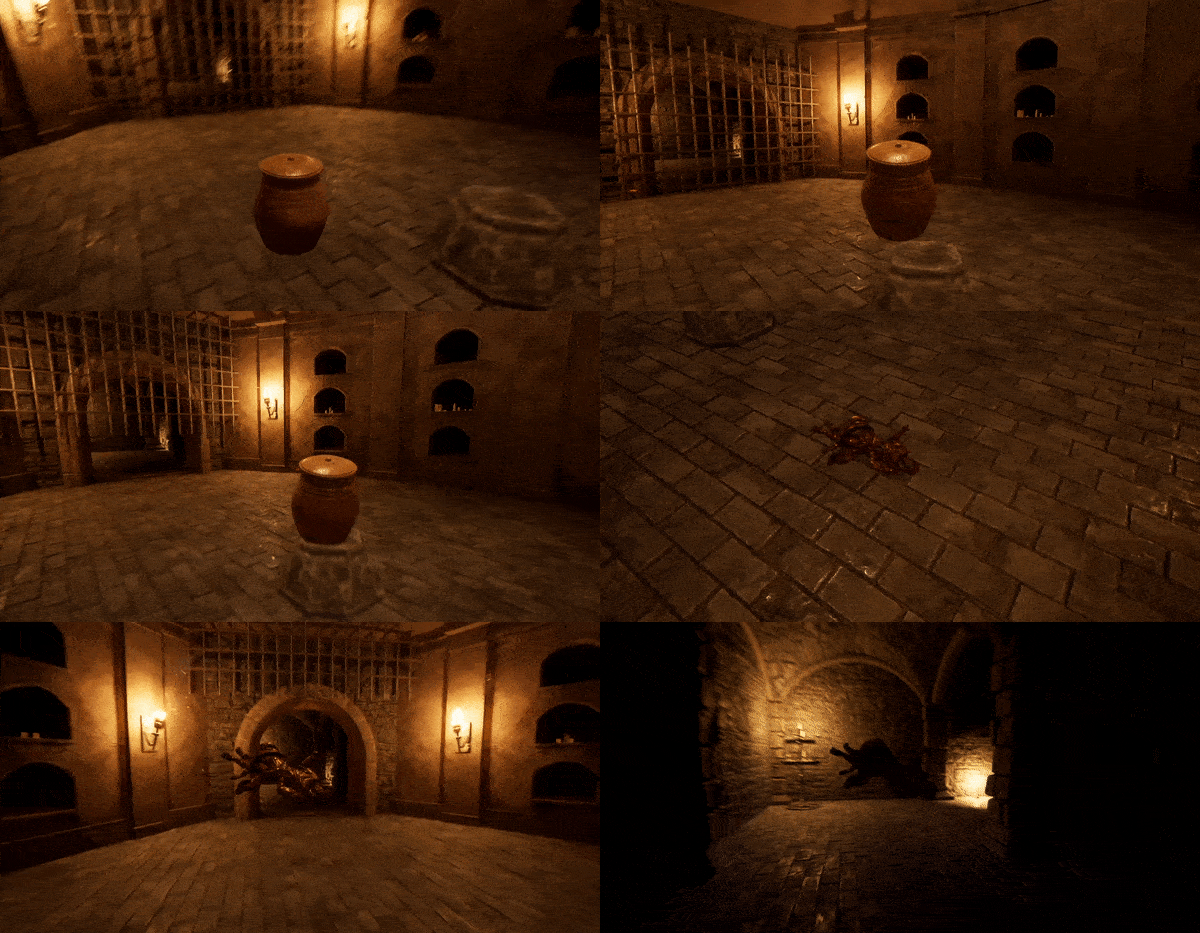
Here’s a rundown of what I learned:
- Level design with modular assets
- Physics handles
- Post process volumes
- Handling overlap events
- Further Unreal C++
- Light types & fixing light bleed
- Line tracing
- Simple C++ input
- Actor tags
- Drawing debug helpers
Toon Tanks
In Toon Tanks, you are controlling a tank in third person and use mouse controls to launch missiles at turrets that are launching their own missiles back at you in retailiation. This contains much more polish than previous projects and gave me a better appreciation of what is required to create a complete game project.
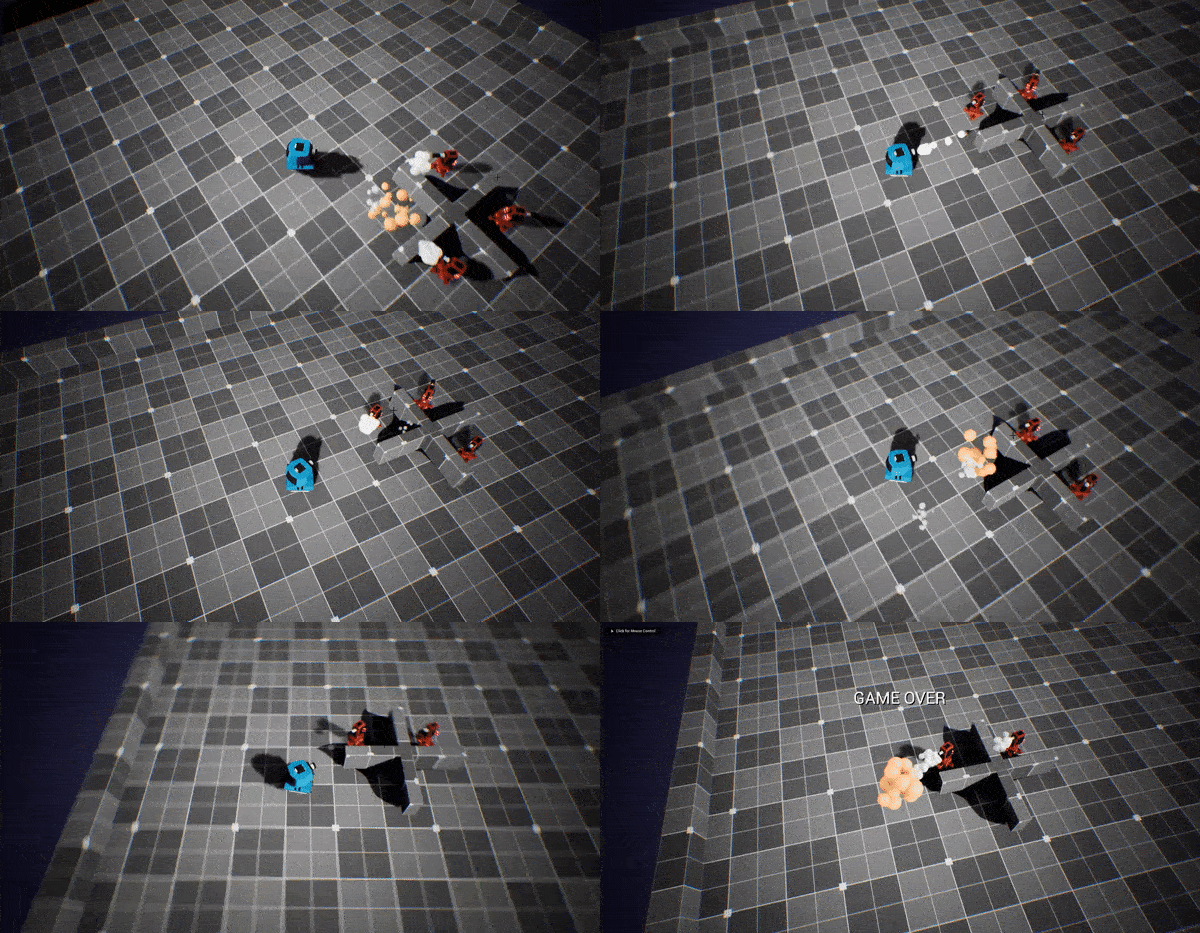
Here’s a rundown of what I learned:
- Using particle FX
- Spawning projectiles
- Timers
- Damage system
- Basic HUD using widgets
- Adding SFX
- C++ mouse + keyboard input
- Hit events
- Cameras, spring arms and camera shake
Simple Shooter
The final game in the course and my most advanced project is a simple third person shooter. This project introduced me to making scalable systems in Unreal and taught me how to make advanced AI systems.
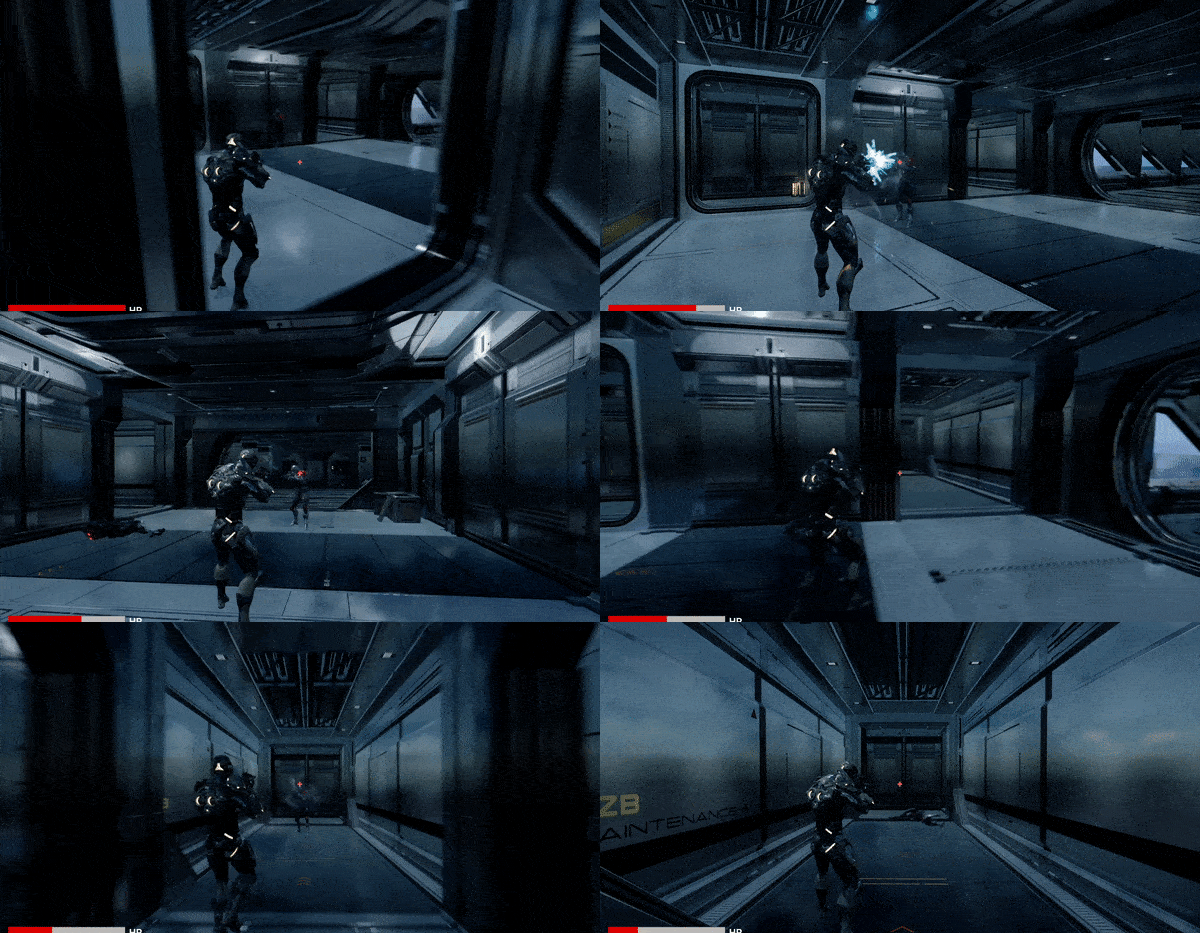
Here’s a rundown of what I learned:
- Custom AI logic with behaviour trees, and blackboard (+ custom BTTasks and BTServices)
- Cross platform controls using enhanced input system
- Simple UI using widgets (health bar, crosshair, win/lose screens)
- Spawning Actors at runtime
- Character animations with ABP event/anim graphs (inc state machines), 2D blend space, and animation overrides for accurate aim direction while moving
- Adding Music + SFX
- Extendable gun system
And that concludes the first chapter of my Unreal 5 learning journey. With these 5 projects finished, I completed the course and can now showcase the below certificate:
The learning journey doesn’t stop here, but completing this course is an important milestone. I feel more confident in my ability to learn new tools quickly and feel that I now know enough about working in Unreal 5 to start pursuing my own original projects.
I highly recommend that anyone thinking about trying Unreal 5 should jump right in. The learning curve isn’t as steep as it once was and if you’re just looking for the right learning resources, I can recommend a pretty good course.
 James Cunningham
Leave a comment